|
Table of Contents : |
Access to Repair Diagram Management under Masters:
| 1. | Login to your account using the username and password provided. | |
| 2. | Hover on the Users tab. |  |
| 3. | Click on the Users tab in the drop down. |  |
| 4. | Click on the MANAGE GROUP RIGHTS button. |  |
| 5. | Once Manage Group Rights page is open. Select User group whom you want to provide access. | 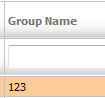 |
| 6. | Expand Masters. |  |
| 7. | Select Repair Diagram Management under Masters for which you want to give access to. |  |
| 8. | Click on SAVE button. |  |
Lauren Partridge
Comments