|
Table of Contents : |
How do I Add/Edit File Meta tag?
| 1. | Login to your account using the username and password provided. | |
| 2. | Hover over the Fleet Management tab. |  |
| 3. | Hover over the Maintenance Control Centre tab and Click on the Manage By Date tab. |  |
| 4. | Select any centre tab that you want to open like Aircraft Centre, Engine Centre, etc. |  |
| 5. | Click on SEARCH button. |  |
| 6. | Enter Keyword that you want to search. |  |
| 7. | Select Client, Tag Type and Aircraft from list. | 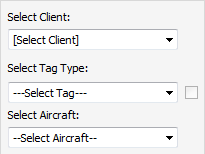 |
| 8. | Enter From date and To date in text box. | 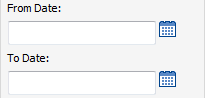 |
| 9. | Click on SEARCH button. It will show you multiple results in bottom section. |  |
| 10. | Go to document and Click on Edit File Meta Tag icon. It will open new window. |  |
| 11. | Add/Edit File Meta Tag into ADD/Edit File Meta Tag field. | 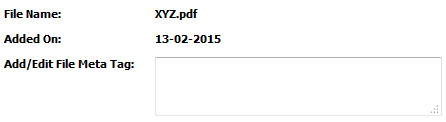 |
| 12. | Click on SAVE button to save your changes. |  |
Lauren Partridge
Comments