Table of Contents :
|
How do I view Responsibility of documents?
| 1. | Login to your account using the username and password provided. | |
| 2. | Hover over the Fleet Management tab and Click on Aircraft Centre Tab. | 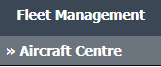 |
| 3. | Select asset from the grid. The row will become highlighted once selected. |  |
| 4. | Hover over the Maintenance Status button. Please note: the Maintenance Status button will become active once an record has been selected. |
 |
| 5. | Click on the FLYlog Book Centre option from dropdown. It will open new window. |  |
| 6. | Select the row for which you want to view document and Click on View icon. It will open new window. |  |
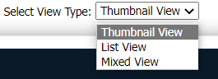
| 7. | Select View Type to Thumbnail View. It will load Thumbnail View in same window. |
 |
| 8. | Select Responsibility tab. |  |
| 9. | It will open Responsibility data into below section. | 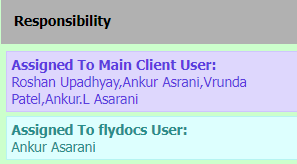 |
Lauren Partridge
Comments