|
Table of Contents : |
| 1. | Login to your account using the username and password provided. | |
| 2. | Hover over the Commercial Management tab then Hover over the Legal and Financial Centre and Click on Contract Management tab. |  |
| 3. | Select AIRCRAFT CENTRE button. |  |
| 4. | Select the assets for which you need to manage documents. |  |
| 5. | Click on VIEW icon. It will open new window. |  |
| 6. | Click on Milestones tab. It will open new window. |  |
| 7. | Go to right side and hover on REPORTS button and Click on Tab Report tab. It will open Tab Report in a new window. | 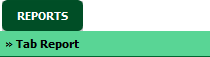 |
| 1. | Login to your account using the username and password provided. | |
| 2. | Hover over the Commercial Management tab then Hover over the Legal and Financial Centre and Click on Contract Management tab. | |
| 3. | Select AIRCRAFT CENTRE button. | |
| 4. | Select the assets for which you need to manage documents. | |
| 5. | Click on VIEW icon. It will open new window. | |
| 6. | Click on Milestones tab. It will open new window. | |
| 7. | Go to right side and hover on REPORTS button and Click on Tab Report tab. It will open Tab Report in a new window. | |
| 8. | Click on EXPORT button. |  |
| 9. | It will show you Popup asking whether you want to open or save file. |  |
| 1. | Login to your account using the username and password provided. | |
| 2. | Hover over the Commercial Management tab then Hover over the Legal and Financial Centre and Click on Contract Management tab. | |
| 3. | Select AIRCRAFT CENTRE button. | |
| 4. | Select the assets for which you need to manage documents. | |
| 5. | Click on VIEW icon. It will open new window. | |
| 6. | Click on Milestones tab. It will open new window. | |
| 7. | Go to right side and hover on REPORTS button and Click on Tab Report tab. It will open Tab Report in a new window. | |
| 8. | Click on PRINT button to print Tab Report. |  |
Lauren Partridge
Comments