|
Table of Contents : |
How do I view day scale in Asset Transition Planner?
| 1. | Login to your account using the username and password provided. | |
| 2. | Hover over the Project Management then Hover over the Asset Management Centre tab and Click on the Asset Transition Planner tab. | 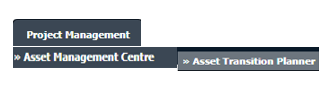 |
| 3. | Select Client, Section and Fleet Type from the list. |  |
| 4. | Click on the VIEW button. It will open Asset Transition Planner in a new window. |  |
| 5. | Select Day scale from the available options and Select other required details. |  |
| 6. | Click on the SHOW button. |  |
Lauren Partridge
Comments