|
Table of Contents : |
How do I add Propeller Delivery Bible Sub-Template?
| 1. | Login to your account using the username and password provided. | |
| 2. | Click on the Master tab. |  |
| 3. | Click on the Delivery Bible Template. |  |
| 4. | Click on the Propeller tab. |  |
| 5. | Select Client, Template Type, Select/Create Template and all the mandatory fields (like Category, Description Title, Status, Read Only, Hide from third party, etc). | 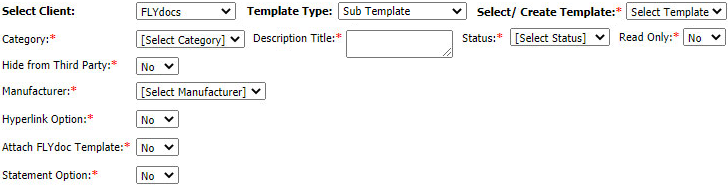 |
| 6. | Click on the ADD button on the right side of the page. |  |
| 7. | Select Category, Manufacturer and input all of the required fields. |  |
| 8. | Click on the SAVE button to add. |  |
| 9. | It will open new Pop up window. Click on OK button. | 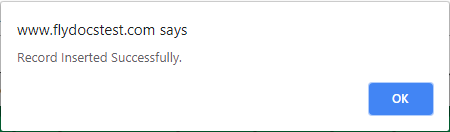 |
How do I edit Propeller Delivery Bible Sub-Template?
| 1. | Login to your account using the username and password provided. | |
| 2. | Click on the Master tab. | |
| 3. | Click on the Delivery Bible Template. | |
| 4. | Click on the Propeller tab. | |
| 5. | Select Client, Template Type, Select/Create Template and all the mandatory fields (like Category, Description Title, Status, Read Only, Hide from third party, etc). | |
| 6. | Click on the EDIT button on the right side of the page. |  |
| 7. | Select Category, Manufacturer and input all of the required fields. | |
| 8. | Click on the SAVE button to add. | |
| 9. | It will open new Pop up window. Click on OK button. | 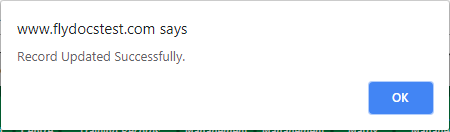 |
How do I delete Propeller Delivery Bible Sub-Template?
| 1. | Login to your account using the username and password provided. | |
| 2. | Click on the Master tab. | |
| 3. | Click on the Delivery Bible Template. | |
| 4. | Click on the Propeller tab. | |
| 5. | Select Client, Template Type, Select/Create Template and all the mandatory fields (like Category, Description Title, Status, Read Only, Hide from third party, etc). | |
| 6. | Select the record that you want to delete. |  |
| 7. | Click on the DELETE button on the right side of the page. |  |
| 8. | It will open new Pop up window. Click on OK button. | 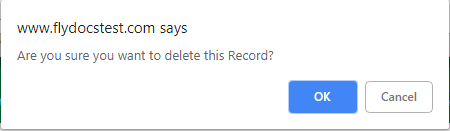 |
| 9. | It will open new Pop up window. Click on OK button. | 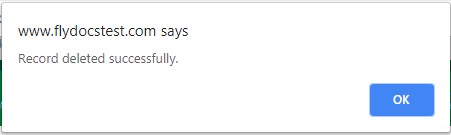 |
Lauren Partridge
Comments