|
Table of Contents : |
How do I link a row to Aircraft Template under Delivery Bible Template?
| 1. | Login to your account using the username and password provided. | |
| 2. | Click on the Master tab. |  |
| 3. | Click on the Delivery Bible Template tab. |  |
| 4. | Click on the engine tab. |  |
| 5. | Select client and other required fields. |  |
| 6. | Select the template title from the grid that you want to edit. | 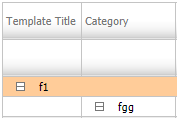 |
| 7. | Click on EDIT button. |  |
| 8. | Select "Link to Aircraft Template" option to Yes. | 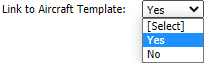 |
| 9. | Select Template from List. |  |
| 10. | Click on the SAVE button. |  |
Lauren Partridge
Comments