|
Table of Contents : |
How do I Search documents in Contract Management Centre?
| 1. | Login to your account using the username and password provided. | |
| 2. | Click on the Commercial Management tab. |  |
| 3. | Hover over Legal & Financial Centre from dropdown. |  |
| 4. | Select Contract Management Centre. |  |
| 5. | Click on Engine Centre button. |  |
| 6. | Click on Search button. |  |
| 7. | In the new window, enter the keyword in the available boxes. |  |
| 8. | Select the fields as per requirement. | 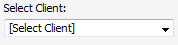 |
| 9 | Select appropriate Search Options. | 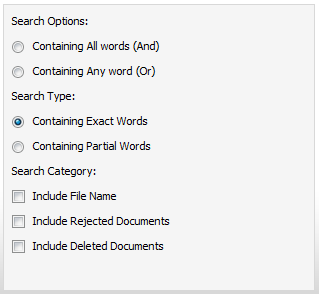 |
| 10. | Click on Search button. | |
Lauren Partridge
Comments