|
Table of Contents : |
How do I set No Operator/Operator selection tagging?
| 1. |
Login to your account using the username and password provided. |
|
| 2. |
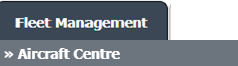
Hover over the Fleet Management tab and Click on Aircraft Centre Tab. |
 |
| 3. |
Go to grid and Click on Link To Inventory icon. It will open new window. |
 |
| 4. |
Select Select Operator Type from List. |
 |
| 5. |
Select Tag Type from List. |
 |
| 6. |
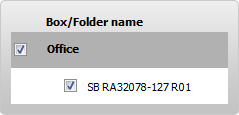
Select Box/Folder name by ticking Tickbox shown infront of it. |
 |
| 7. |
Click on SAVE button. |
 |
| 8. |
It will show you Pop up message. Click on OK button. |
 |
Lauren Partridge
Comments