How do I add new Columns in Status List of Managers Tab in Propeller for Lease Management?
| 1. | Login to your account using the username and password provided. | |
| 2. | Click on the Asset / Lease Management Tab. |  |
| 3. | Click on the Lease Management Tab. |  |
| 4. | Click on the Propeller Tab. |  |
| 5. | Select the Client in the dropdown list. |  |
| 6. | Select the row data in the grid. |  |
| 7. | Click on the view icon. It will open a new window. |  |
| 8. | Select the row data in the grid. | |
| 9. | Click on the View button. It will open a new window. |  |
| 10. | Click on the Managers Tab. |  |
| 11. | Click on view icon which is on the top right corner. It will open the template in a new window. | |
| 12. | Hover on the Controls and Click on Manage Status List option. It will open a new window. | 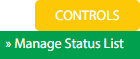 |
| 13. | Click on the Add button. |  |
| 14. | Fill the details as per your requirement. |  |
| 15. | Click on the Save button. |  |
| 16. | It will open a Popup message. Click on OK. | 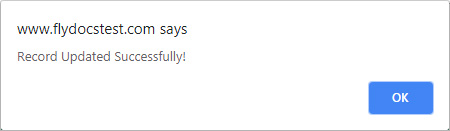 |
How do I Edit Column status List of Managers Tab in Propeller for Lease Management?
| 1. | Login to your account using the username and password provided. | |
| 2. | Click on the Asset / Lease Management Tab. | |
| 3. | Click on the Lease Management Tab. | |
| 4. | Click on the Propeller Tab. | |
| 5. | Select the Client in the dropdown list. | |
| 6. | Select the row data in the grid. | |
| 7. | Click on the view icon. It will open a new window. | |
| 8. | Select the row data in the grid. | |
| 9. | Click on the View button. It will open a new window. | |
| 10. | Click on the Managers Tab. | |
| 11. | Click on view icon which is on the top right corner. It will open the template in a new window. | |
| 12. | Hover on the Controls and Click on Manage Status List option. It will open a new window. | |
| 13. | Select the row from the grid. | |
| 14. | Click on the Edit button to edit the data. |  |
| 15. | Edit the details as per your requirement. | |
| 16. | Click on the Save button. | |
| 17. | It will open a Popup message. Click on OK. | |
How do I Delete Column in Status List of Managers Tab in Propeller for Lease Management?
| 1. | Login to your account using the username and password provided. | |
| 2. | Click on the Asset / Lease Management Tab. | |
| 3. | Click on the Lease Management Tab. | |
| 4. | Click on the Propeller Tab. | |
| 5. | Select the Client in the dropdown list. | |
| 6. | Select the row data in the grid. | |
| 7. | Click on the view icon. It will open a new window. | |
| 8. | Select the row data in the grid. | |
| 9. | Click on the View button. It will open a new window. | |
| 10. | Click on the Managers Tab. | |
| 11. | Click on view icon which is on the top right corner. It will open the template in a new window. | |
| 12. | Hover on the Controls and Click on Manage Status List option. It will open a new window. | |
| 13. | Select the row from the grid. | |
| 14. | Click on the Delete button. |  |
| 15. | It will open a Popup message. Click on OK. | 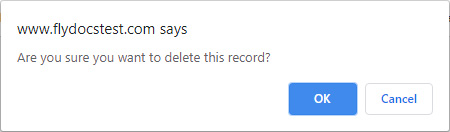 |
| 16. | Another Popup message will be open. Click on OK. | |
How do I Reorder grid row in Status List of Managers Tab in Propeller for Lease Management?
| 1. | Login to your account using the username and password provided. | |
| 2. | Click on the Asset / Lease Management Tab. | |
| 3. | Click on the Lease Management Tab. | |
| 4. | Click on the Propeller Tab. | |
| 5. | Select the Client in the dropdown list. | |
| 6. | Select the row data in the grid. | |
| 7. | Click on the view icon. It will open a new window. | |
| 8. | Select the row data in the grid. | |
| 9. | Click on the View button. It will open a new window. | |
| 10. | Click on the Managers Tab. | |
| 11. | Click on view icon which is on the top right corner. It will open the template in a new window. | |
| 12. | Hover on the Controls and Click on Manage Status List option. It will open a new window. | |
| 13. | Select the row from the grid. | |
| 14. | Click on move Icon to move your row upward/downward. |  |
| 15. | It will open a Popup message. Click on OK. | 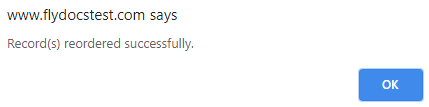 |
How do I View audit trail in Status List of Managers Tab in Propeller for Lease Management?
| 1. | Login to your account using the username and password provided. | |
| 2. | Click on the Asset / Lease Management Tab. | |
| 3. | Click on the Lease Management Tab. | |
| 4. | Click on the Propeller Tab. | |
| 5. | Select the Client in the dropdown list. | |
| 6. | Select the row data in the grid. | |
| 7. | Click on the view icon. It will open a new window. | |
| 8. | Select the row data in the grid. | |
| 9. | Click on the View button. It will open a new window. | |
| 10. | Click on the Managers Tab. | |
| 11. | Click on view icon which is on the top right corner. It will open the template in a new window. | |
| 12. | Hover on the Controls and Click on Manage Status List option. It will open a new window. | |
| 13. | Click on the Audit Trail button. It will open Audit Trail page in a new window. |  |
| 14. | Select filter types to filter the Audit Trail Report. |  |
| 15. | Click on the Filter button to show filtered data into the grid. |  |
How do I Export audit trail status List of Managers Tab in Propeller for Lease Management?
| 1. | Login to your account using the username and password provided. | |
| 2. | Click on the Asset / Lease Management Tab. | |
| 3. | Click on the Lease Management Tab. | |
| 4. | Click on the Propeller Tab. | |
| 5. | Select the Client in the dropdown list. | |
| 6. | Select the row data in the grid. | |
| 7. | Click on the view icon. It will open a new window. | |
| 8. | Select the row data in the grid. | |
| 9. | Click on the View button. It will open a new window. | |
| 10. | Click on the Managers Tab. | |
| 11. | Click on view icon which is on the top right corner. It will open the template in a new window. | |
| 12. | Hover on the Controls and Click on Manage Status List option. It will open a new window. | |
| 13. | Click on the Audit Trail button. It will open Audit Trail page in a new window. | |
| 14. | Select filter types to filter the Audit Trail Report. | |
| 15. | Click on the Filter button to show filtered data into the grid. | |
| 16. | Click on the Export button. |  |
| 17. | It will show you Popup asking whether you want to open or save the file. |  |
| Note:- If you do not see this option appear it is due to access restrictions for your user account. please contact an administrator. |
Lauren Partridge
Comments