|
Table of Contents : |
How do I search documents in a single folder?
| 1. | Login to your account using the username and password provided. | |
| 2. | Hover over the Fleet Management tab and click on Engine Centre option. |  |
| 3. | Click on Engine Module Fleet tab. |  |
| 4. | Select the asset from the grid. |  |
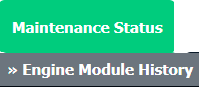
| 5. | Hover over the Maintenance Status button and Click on the Engine Module History button. It will open new window. NOTE: The Maintenance Status button will become active once an engine record has been selected. |
 |
| 6. | Select Year View, BOX View, MCC View or Delivery Bible View. Note: When entering the Maintenance History page the folders will automatically be organised into the Year View. |
 |
| 7. | Click on the SHOW button. It will load respective view into grid. |  |
| 8. | Go to the grid record and click on the search icon for Box search. |  |
| 9. | Once Box Search page is open go to Keyword or multiple keyword used for search particular document/documents. |  |
| 10. | If you want to use other search options then choose it from available options. | 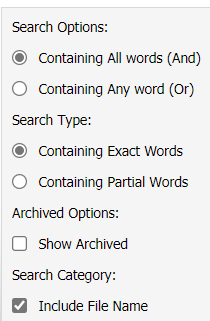 |
| 11. | Click on the SEARCH button. |  |
How do I search documents in a multiple folder?
| 1. | Login to your account using the username and password provided. | |
| 2. | Hover over the Fleet Management tab and click on Engine Centre option. |  |
| 3. | Click on Engine Module Fleet tab. |  |
| 4. | Select the asset from the grid. | |
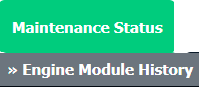
| 5. | Hover over the Maintenance Status button and Click on the Engine Module History button. It will open new window. NOTE: The Maintenance Status button will become active once an engine record has been selected. |
 |
| 6. | Select Year View, BOX View, MCC View or Delivery Bible View. Note: When entering the Maintenance History page the folders will automatically be organised into the Year View. |
 |
| 7. | Click on the SHOW button. It will load respective view into grid. |  |
| 8. | Tick the multiple Folders where you want to perform search. | 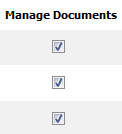 |
| 9. | Go to top right corner and Click on the SEARCH button. It will open a new window. |  |
| 10. | Once Box Search page is open go to Keyword or multiple keyword used for search particular document/documents. |  |
| 11. | If you want to use other search options then choose it from available options. | 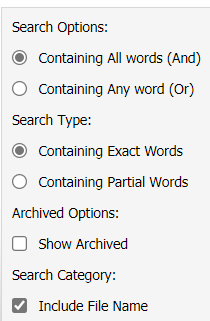 |
| 12. | Click on the SEARCH button. |  |
Lauren Partridge
Comments